How Long Until 11 PM? Calculate the Time Remaining Today
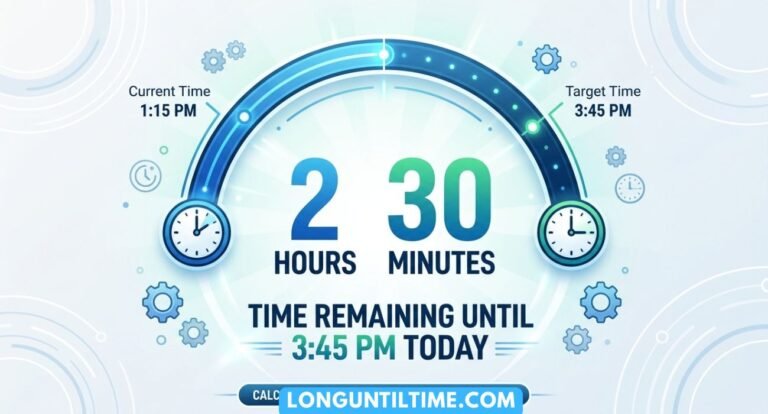
Wondering how long until 11 PM? The answer depends on your current local time. If it is 8:00 PM, you have 3 hours left until 11:00 PM. If it is 9:30 PM, you have 1 hour and 30 minutes remaining. As every second passes, the time left becomes shorter.
An 11 PM countdown helps you track the time before a deadline, finish your evening tasks, prepare for bed, or plan an activity. You can calculate the remaining hours and minutes yourself or use an online countdown timer to track the time more closely.
This guide explains how to calculate the time until 11 PM, how to handle different time zones, what happens when 11 PM has already passed, and how to use a countdown to manage your day.
What Does “How Long Until 11 PM” Actually Mean?
The question “How long until 11 PM?” asks how much time remains between the current time and 11:00 PM. It measures a duration rather than showing a specific time on a clock.
For example, if your clock shows 7:00 PM, four hours remain until 11 PM. If it shows 10:15 PM, only 45 minutes remain. The answer changes depending on when you check it.
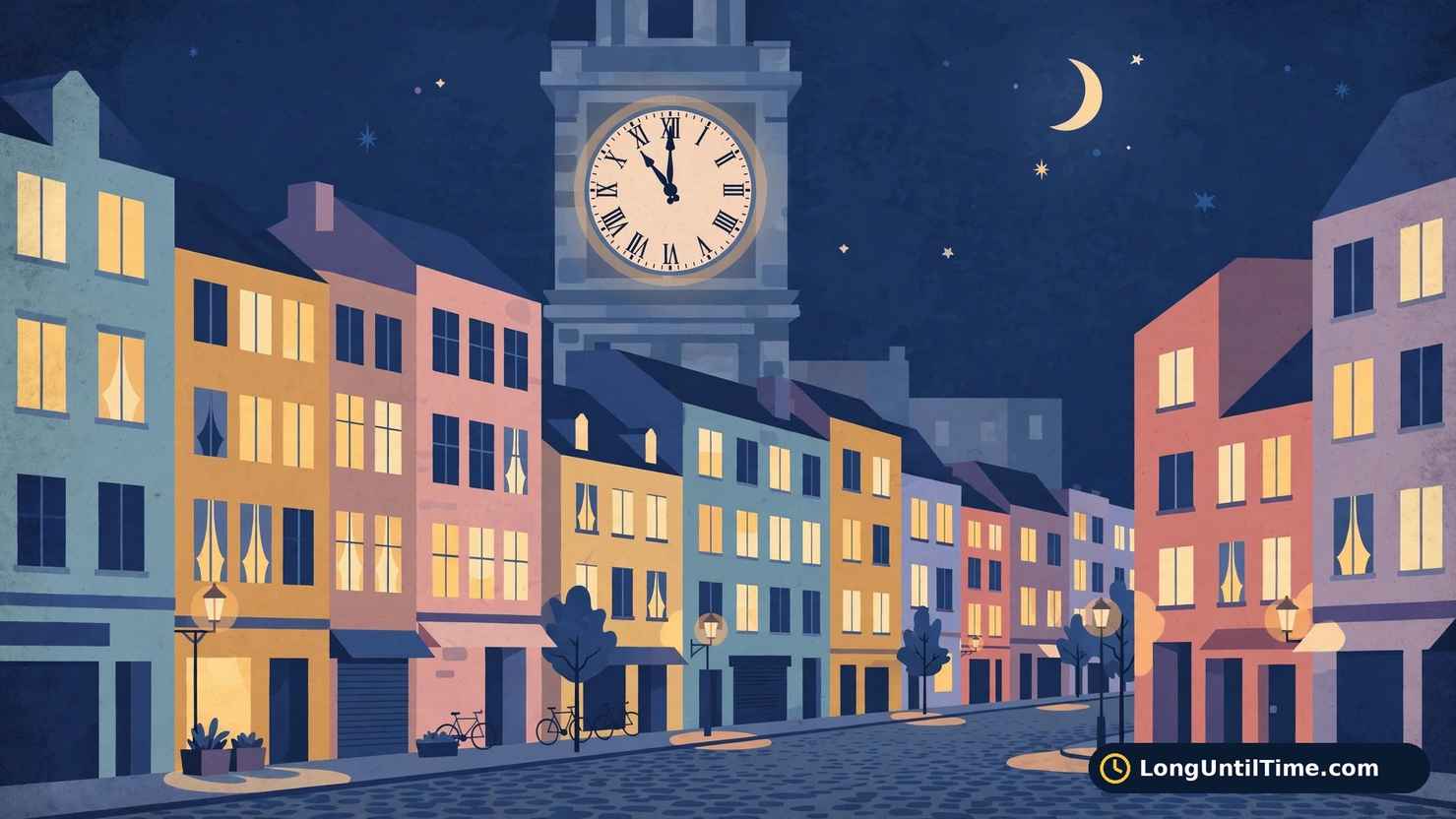
11 PM means eleven o’clock at night. It comes one hour before midnight, which marks the beginning of the next calendar day.
What Is the Difference Between 11 AM and 11 PM?
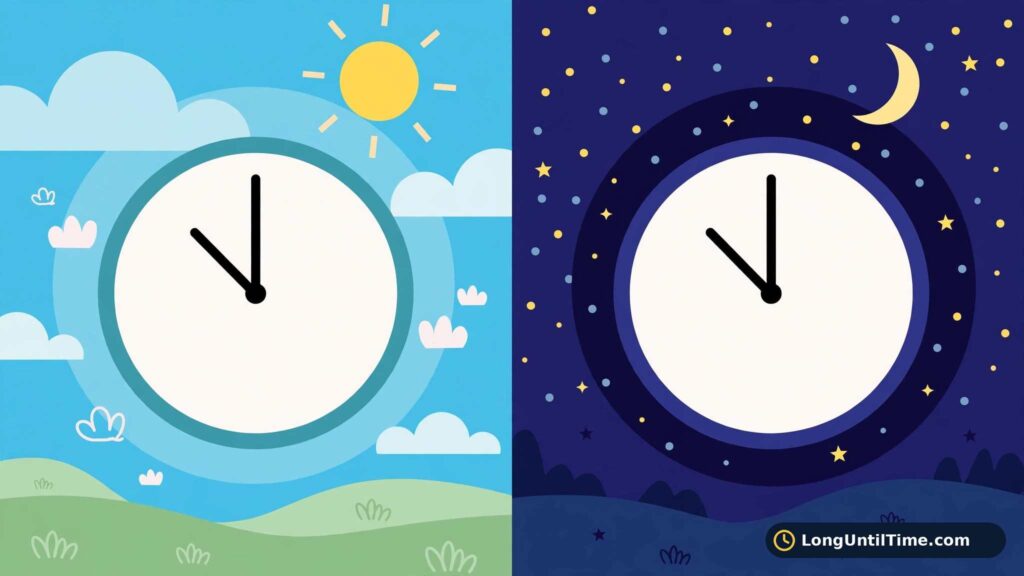
The 12-hour clock divides the day into two periods: AM and PM. AM covers midnight through the morning, while PM covers noon through the evening.
11 AM is late morning, but 11 PM is late at night. These times are 12 hours apart on an ordinary clock day.
On a 24-hour clock, 11 AM is written as 11:00, while 11 PM is written as 23:00. This format is useful for schedules, digital systems, and travel plans because it removes confusion between morning and evening.
What Does Time Remaining Until 11 PM Include?
The remaining time can be expressed in hours, minutes, or seconds. A longer wait is usually easier to understand in hours and minutes, while a short wait may be more useful in minutes and seconds.
For example, 1 hour and 30 minutes equals 90 minutes. The same duration equals 5,400 seconds.
A time difference calculator can display the remaining duration automatically. However, the result still depends on the current time, the target date, and the time zone used for the calculation.
Why an 11 PM Countdown Changes Every Second
A countdown to 11 PM is not a fixed number unless you calculate it at one specific moment. The remaining time decreases continuously as the clock moves forward.
Suppose it is 8:00 PM. At that moment, three hours remain. One minute later, the remaining time is 2 hours and 59 minutes. Ten minutes later, it is 2 hours and 50 minutes.
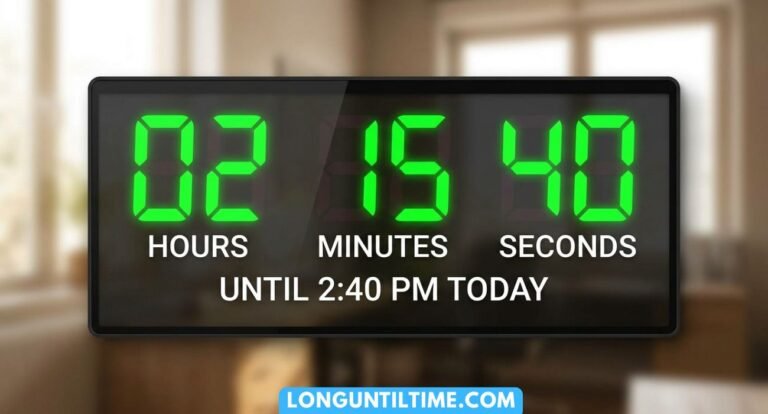
A live countdown uses the current time and compares it with the target time. It then updates the displayed hours, minutes, and seconds.
How a Live Countdown to 11 PM Works
A countdown timer calculates the difference between the present moment and a target moment. For this topic, the target is 11:00 PM on the intended date in the relevant local time zone.
A well-designed timer recalculates or updates the displayed duration as time passes. This helps prevent the result from becoming outdated.
Some timers update the display every second, while others update less frequently. A timer that updates less often may still calculate the correct remaining duration when refreshed.
What Happens When the Countdown Reaches 11 PM?
When the current time reaches 11:00 PM, the remaining duration becomes zero.
Depending on the tool, the countdown may stop, show a completion message, or automatically begin counting toward 11 PM the next day.
If you need a notification at 11 PM, check whether the timer supports alerts. Not every online countdown sends a sound or notification when it reaches zero.
How Is the Time Until 11 PM Calculated?
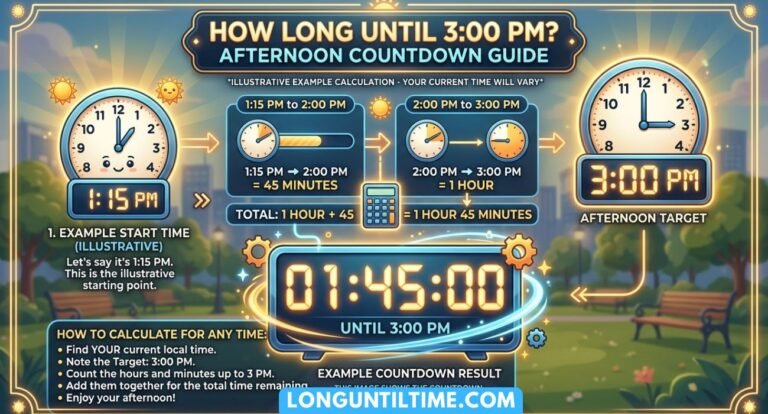
You can calculate the time remaining until 11 PM with simple subtraction. First, check your current local time. Then subtract it from 11:00 PM if the current time is earlier than the target on the same day.
Formula:
Time remaining = 11:00 PM − current local time
For example, if the current time is 9:20 PM, subtract 9:20 PM from 11:00 PM. The result is 1 hour and 40 minutes.
If the current time is 10:45 PM, the result is only 15 minutes. You do not need a special tool for these simple calculations, although an online timer can save time and show seconds.
Examples of How Long Until 11 PM at Different Times
The following table shows how much time remains when you check the clock at different points during the evening.
| Current time | Time remaining until 11 PM |
|---|---|
| 4:00 PM | 7 hours |
| 5:00 PM | 6 hours |
| 6:00 PM | 5 hours |
| 7:00 PM | 4 hours |
| 8:00 PM | 3 hours |
| 8:30 PM | 2 hours 30 minutes |
| 9:00 PM | 2 hours |
| 9:30 PM | 1 hour 30 minutes |
| 10:00 PM | 1 hour |
| 10:15 PM | 45 minutes |
| 10:30 PM | 30 minutes |
| 10:45 PM | 15 minutes |
| 10:55 PM | 5 minutes |
These examples assume the listed time and the 11 PM target fall on the same local calendar day.
How Many Minutes Until 11 PM?
To find the total number of minutes remaining, multiply the remaining hours by 60 and add any extra minutes.
For example, if it is 8:30 PM, you have 2 hours and 30 minutes left.
2 × 60 + 30 = 150 minutes.
Therefore, 150 minutes remain until 11 PM.
This method is useful when you want to set a productivity timer, estimate the length of a study session, or decide whether you have enough time to complete a task.
How Many Seconds Until 11 PM?
One minute contains 60 seconds, so you can multiply the remaining minutes by 60 to calculate the total seconds.
If it is 10:55 PM, five minutes remain.
5 × 60 = 300 seconds.
If it is 10:59 PM, one minute remains, which equals 60 seconds. For an exact second-by-second answer, use a live countdown because the result changes continuously.
How Long Until 11 PM Based on Your Local Time
The answer to “How long until 11 PM?” depends on your current local time. A person in New York may see a different countdown from someone in Los Angeles because the two locations use different time zones.
If it is 8 PM where you live, three hours remain until your local 11 PM. You do not need to convert to another time zone unless the target event is scheduled for a different location.
Calculate How Long Until 11 PM in Your Time Zone
Start by checking the clock on your phone or computer. Make sure it shows the correct local time and date.
Next, determine whether the target is 11 PM today or tomorrow. If it is still before 11 PM locally, subtract the current time from 11 PM. If 11 PM has passed, decide whether you mean the previous 11 PM or the next one.
For an event scheduled in another city, use that city’s time zone. For example, if a virtual event starts at 11 PM Eastern Time, a person on Pacific Time must calculate the remaining time to that event rather than to their own local 11 PM.
11 PM in Eastern, Central, Mountain, and Pacific Time
The United States uses several time zones. The main continental US zones are Eastern, Central, Mountain, and Pacific.
| Time zone | Common abbreviation | Difference from Eastern Time |
|---|---|---|
| Eastern Time | ET | Reference |
| Central Time | CT | 1 hour behind |
| Mountain Time | MT | 2 hours behind |
| Pacific Time | PT | 3 hours behind |
These differences generally apply when comparing locations observing the corresponding standard or daylight saving schedules. Some areas have special rules, so the exact offset can depend on the date and location.
For example, when it is 11 PM Eastern Time, it is generally 10 PM Central Time, 9 PM Mountain Time, and 8 PM Pacific Time.
This matters when coordinating online meetings, watching scheduled broadcasts, or joining events that publish times in another time zone.
Does Daylight Saving Time Affect the 11 PM Countdown?
Daylight saving time changes the local clock in participating areas during part of the year. As a result, the difference between two locations may change when one or both locations switch between standard time and daylight saving time.
Most US states observe daylight saving time, but Hawaii and most of Arizona do not. Some regions also have special local rules.
A reliable time-zone-aware countdown accounts for the target location’s current rules. Avoid assuming that a city will always be a fixed number of hours ahead of or behind another city throughout the year.
Why Device Time Matters
Your device’s clock plays an important role in calculating the time until 11 PM. If your phone or computer shows the wrong time, a countdown based on that clock may also show an incorrect result.
Many modern devices automatically synchronize their clocks and adjust for the selected time zone. However, incorrect settings, a disabled automatic-time option, or a manually changed clock can cause problems.
How Your Computer or Phone Determines the Current Time
Phones and computers commonly use time synchronization to keep their clocks close to the correct time. They also use time-zone settings to display the appropriate local clock time.
For example, a computer may maintain time using a standard time reference and then display the local equivalent based on its configured time zone.
If you travel to another state or country, your device may update its local time automatically. When that happens, the countdown to your local 11 PM should reflect the new location if the tool handles time zones correctly.
What Happens When Your Device Has the Wrong Time?
Suppose your computer is five minutes behind the correct local time. A countdown based on that incorrect clock may show about five extra minutes remaining.
An incorrect time zone can create an even larger difference. Your clock might show the correct minutes and seconds but still be displaying the time for another location.
Check your device’s date, time, and time-zone settings if a countdown appears incorrect. Enabling automatic time and time-zone settings can help, provided your device has access to a reliable synchronization source.
How to Check Your Device’s Local Time
Look at the clock on your phone, computer, or tablet and confirm that the displayed time matches your location. Check the date as well, especially near midnight.
If you are using an online countdown for an important deadline, compare the displayed time with a reliable clock. This is particularly useful when the event follows another city’s time zone or when a deadline must be met precisely.
Device Clock vs Server Clock
A countdown can use the time maintained by your device or obtain time information from a remote server. Understanding the difference helps explain why two websites may occasionally display different results.
What Is a Device Clock?
A device clock is the clock maintained by your phone, tablet, or computer. A browser can use this clock to calculate the time remaining until 11 PM.
This approach is convenient because the countdown can work without repeatedly requesting the current time from a remote server. However, the result may be inaccurate if the device clock or time zone is incorrect.
What Is Server Time?
Server time comes from a remote computer that provides information or services to a website. A website may use server time to coordinate scheduled events, record transactions, or manage deadlines.
A server may maintain time in UTC, which stands for Coordinated Universal Time, and convert it into a local time zone for display.
This can be useful when an event must follow a specific official schedule. However, server time alone does not guarantee a correct countdown; the website must also interpret the target date and time zone correctly.
Which Is More Accurate for an 11 PM Countdown?
Neither method is automatically perfect. Accuracy depends on the quality of the time source, the clock’s synchronization, and the way the website calculates the target.
For ordinary evening planning, a properly configured device clock is often sufficient. For an official online event or deadline, follow the time source specified by the organizer and confirm the applicable time zone.
The most useful countdown is one that clearly identifies the target time and handles local time changes correctly.
Countdown to 11 PM for Daily Planning
An 11 PM countdown can help you decide how to use the rest of your evening. Rather than guessing how much time remains, you can compare the available time with the tasks you still need to finish.
For example, if it is 7 PM and you want to stop working at 11 PM, you have four hours available. You might use two hours for work, 30 minutes for dinner, one hour for studying, and the remaining time for smaller tasks or unexpected delays.
Use an 11 PM Countdown to Plan Your Evening
A countdown can give your evening a clear endpoint. You can work backward from 11 PM to decide when to begin each task and how much time to set aside.
If you need to prepare for the next day, you could reserve the last 30 minutes for organizing your belongings and checking your schedule. The earlier hours can be used for work, meals, exercise, or other activities.
Keep your plan flexible. Travel delays, unfinished work, or unexpected responsibilities may change how much time you have available.
How Long Until 11 PM for Work and Study?
Students and workers can use the remaining time to set a realistic goal. If it is 8:30 PM, for example, you have 2 hours and 30 minutes until 11 PM.
You could spend 60 minutes completing an assignment, take a 10-minute break, and use another 50 minutes to review your work. That leaves 30 minutes for preparing materials or handling anything unfinished.
The key is to estimate task length before starting. A countdown helps you track the available time, but it cannot predict how long a difficult task will take.
Plan Your Nighttime Routine Before 11 PM
If you want to finish your activities before 11 PM, use the countdown to plan when to stop working, reduce distractions, and prepare for the next day.
You might set a reminder at 10:15 PM to begin wrapping up and another at 10:45 PM to finish your final tasks. These reminders can help you avoid losing track of time.
An 11 PM target is a personal scheduling choice, not a rule for everyone. Choose a routine that fits your work schedule, responsibilities, and sleep needs.
Why People Search “How Long Until 11 PM”
People search for this phrase for different reasons, but the main goal is usually the same: they want to know how much time remains before a particular evening time.
Checking the Time Before a Deadline
Someone may need to finish an assignment, submit a project, or complete a task before 11 PM. Knowing the remaining time helps them decide what to prioritize.
For example, if 45 minutes remain, it may be more practical to finish an important section than to begin a completely new task.
For official deadlines, however, always check the stated date, time zone, and submission rules rather than relying only on a general countdown.
Waiting for an Event or Activity
People may also want to know how long until an online event, gaming session, program, or scheduled call begins.
If an event starts at 11 PM in another time zone, calculate the duration using the event’s published time zone. Your local 11 PM may not be the same moment.
Managing Personal Routines and Expectations
An evening countdown can help people decide when to begin a bedtime routine, stop entertainment, or finish household tasks.
It can also make waiting feel more manageable because the remaining duration is visible. Instead of repeatedly checking the clock, users can refer to the countdown when they need an update.
Searching for How Long Until 11 PM Tonight
Searches such as “how long until 11 PM tonight,” “how much longer until 11 PM,” and “how long until 11 at night” generally ask for the remaining time before the next relevant 11 PM.
The precise answer depends on when the question is asked. If it is 10:30 PM, 30 minutes remain. If it is 11:30 PM, the next 11 PM is tomorrow, 23 hours and 30 minutes away on an ordinary 24-hour day.
How Long Until 11 PM on Different Devices
You can calculate the time until 11 PM on a smartphone, computer, tablet, or smartwatch. The best method depends on whether you need a quick estimate, a visible live countdown, or an alert.
How to Check How Long Until 11 PM on a Smartphone
On an iPhone or Android phone, check the current time in the status bar or clock app. You can then calculate the difference manually or open a browser-based countdown tool.
A regular stopwatch measures elapsed time, while a countdown timer counts down from a duration you enter. A clock-time countdown is different because it targets 11 PM regardless of how long you have been using the timer.
If you use a timer for a specific event, verify that the target time and time zone are correct.
How to Calculate the Time Until 11 PM on a Computer
A desktop or laptop makes it easy to view a countdown while working. You can check the system clock, calculate the remaining time, or use a browser tool that targets 11 PM.
Some browser timers may update less frequently when a tab is inactive. If the displayed value seems outdated after switching back to another application, refresh the page or check the current time again.
For an important deadline, use a separate reminder rather than depending entirely on an open browser tab.
Can You Use a Tablet or Smartwatch?
Yes. Tablets can use the same browser-based tools as computers and smartphones. Smartwatches may provide clock faces, alarms, or timer features, depending on the device and its software.
A smartwatch is useful when you want to check the time without opening your phone. However, a standard duration timer may not automatically target the next 11 PM, so check which function you are using.
Benefits of Using an 11 PM Countdown
A countdown offers a simple way to make the remaining time visible. It can support better planning, reduce uncertainty about a deadline, and help you decide when to move from one activity to another.
Better Awareness of the Time Remaining
People can underestimate how quickly an evening passes, especially when they are focused on a task or watching entertainment. A visible countdown provides a clearer estimate of the time left.
For example, seeing that only 20 minutes remain may encourage you to finish a small task instead of starting something that requires an hour.
Improved Focus and Productivity
A countdown can give a task a defined time limit. You might decide to spend 40 minutes writing, 20 minutes reviewing, and 10 minutes preparing for the next day.
This method works best when the goal is realistic. A timer can help you pay attention to the time, but it does not guarantee that every task will be completed.
Easier Evening Scheduling
Knowing the remaining time can help you organize meals, chores, study sessions, and relaxation. You can assign each activity a reasonable time window and adjust the plan when necessary.
A countdown is especially useful when several activities must fit into a limited evening. It provides a shared reference point for deciding what to do next.
Less Need to Check the Clock Repeatedly
Instead of calculating the time difference every few minutes, you can keep a countdown visible and check it when needed.
This can be convenient during work or study sessions. However, use alarms or reminders when you need an alert at a specific moment.
Countdown Timers and Time Management
A countdown is most useful when you combine it with a clear plan. Simply watching the seconds decrease does not organize your evening; deciding how to use the remaining time does.
Use the 11 PM Countdown With Time Blocking
Time blocking means assigning specific periods to different tasks. If you have three hours until 11 PM, you could reserve one hour for work, 30 minutes for dinner, one hour for study, and 30 minutes for preparing for tomorrow.
This plan gives each activity a place in your schedule. If one task takes longer than expected, you can adjust the remaining blocks rather than losing track of the entire evening.
Combine a Countdown With the Pomodoro Technique
The Pomodoro Technique uses focused work intervals separated by short breaks. One common version uses 25 minutes of work followed by a five-minute break.
If you have an hour available before your next activity, you could complete two 25-minute work sessions with a short break between them. Adjust the intervals when a task needs longer periods of concentration.
The countdown to 11 PM gives you the overall endpoint, while the productivity timer helps manage each smaller work session.
Set Reminders Before the Countdown Ends
A countdown shows how much time remains, but it may not alert you when the target arrives. Set a phone alarm or calendar reminder if you need to stop a task, join a meeting, or begin a routine at a particular time.
For example, a reminder at 10:30 PM could give you 30 minutes to wrap up before 11 PM. An additional alert at 10:55 PM could help you finish on time.
Avoid Rushing as 11 PM Approaches
When the remaining time becomes short, focus on the tasks that matter most. Trying to fit too many activities into the final minutes can make your schedule harder to follow.
If you have 15 minutes left, choose a task that can reasonably be completed within that period. Move larger tasks to another time rather than assuming you can finish everything before 11 PM.
How Long Until 11 PM Today or Tomorrow?
The correct calculation depends on whether you mean 11 PM today, the next 11 PM, or 11 PM on a specific date tomorrow.
How Long Until 11 PM Today?
If the current local time is earlier than 11 PM, subtract it from 11:00 PM to find the remaining duration.
For example, at 6:45 PM, 4 hours and 15 minutes remain. At 9:20 PM, 1 hour and 40 minutes remain. At 10:50 PM, only 10 minutes remain.
These examples assume the current time and target are on the same local date.
What If It Is Already Past 11 PM?
If it is 11:30 PM, today’s 11 PM has already passed. If you want to know how long until the next 11 PM, the answer is 23 hours and 30 minutes on an ordinary 24-hour day.
At 12:15 AM, the next 11 PM is 22 hours and 45 minutes away on an ordinary day.
This distinction matters because a countdown should not show a negative duration or treat yesterday’s target as if it were still in the future. It should identify the intended occurrence of 11 PM.
How Long Until 11 PM Tomorrow?
When the target is specifically 11 PM tomorrow, calculate the duration from the current moment to that future date and time.
For example, if it is 8 PM today and tomorrow is a normal calendar day with no relevant clock change, 27 hours remain until 11 PM tomorrow. That includes the three hours until midnight and another 24 hours until 11 PM the following day.
A time-zone-aware calculation is preferable around daylight saving transitions because the elapsed duration between two local clock readings may not always equal the number of clock hours suggested by simply counting calendar days.
Does “11 PM Tonight” Mean the Same as “11 PM Tomorrow”?
No. “11 PM tonight” normally refers to the upcoming 11 PM on the current evening, while “11 PM tomorrow” refers to the following day’s 11 PM.
If it is already after midnight, the wording may depend on the speaker’s context. For clarity, use the exact date and time zone when planning an event or deadline.
The same countdown method also works for the mark forty minutes later – see how long until 11:40 pm.
Common Uses for an 11 PM Countdown
An 11 PM countdown can be helpful whenever a person has a task, activity, or personal goal tied to that time.
Countdown to the End of a Work or Study Session
A student might use an 11 PM target to finish revision, complete homework, or prepare notes for the next day. A worker might use it to complete a report or wrap up a project.
The countdown helps show the available time, while a task list helps decide what should be completed first.
Countdown for Entertainment and Online Events
A countdown can help you prepare for a livestream, online gaming session, scheduled program, or virtual gathering.
If the event follows a published time in another city, convert that time to your local zone or use a countdown that supports the event’s time zone. This avoids confusing your own 11 PM with the event’s actual start time.
Countdown for Bedtime and Nighttime Preparation
Some people use 11 PM as a reminder to finish chores, prepare clothes, or begin winding down before bed.
You can set a reminder before the target so that the countdown supports your routine instead of becoming another distraction. Your ideal bedtime depends on your own schedule and needs.
Countdown for Personal Deadlines and Appointments
An evening deadline might involve completing an online form, organizing documents, preparing for a trip, or finishing a household task.
Check the actual deadline carefully if it comes from a website or another person. The date and time zone may matter, and a general countdown should not replace the official deadline details.
Countdown for Travel and Late-Night Plans
If you need to leave for a late appointment or departure, an 11 PM countdown can help you see how much preparation time remains.
Remember to account for travel, delays, and the time needed to get ready. A countdown to 11 PM does not tell you when to leave unless you also know the journey duration and required arrival time.
Technology Behind Browser-Based Countdowns
A browser-based countdown uses time calculations to show how much time remains until a selected target. The basic idea is simple, but accurate results depend on how the tool handles the clock, date, and time zone.
How a Browser Calculates the Remaining Time
A countdown typically determines the current time, identifies the target time, and calculates the difference between them.
For a target of 11 PM today, the tool compares the current moment with 11 PM on the current local date. It then converts the difference into hours, minutes, and seconds for display.
A well-designed timer calculates from the target moment rather than relying only on subtracting one second from the displayed value each time. This helps it recover more accurately after a delayed update.
Why Some Countdown Timers Need Your Time Zone
The phrase “11 PM” describes a local clock reading, not one universal moment around the world. The website must know which location or time zone the target refers to if the countdown needs to match a particular event.
For example, 11 PM in New York and 11 PM in Los Angeles occur at different moments. A timer that simply assumes the wrong time zone may show an incorrect result even if its arithmetic is correct.
Time-zone-aware calculations also help handle daylight saving changes and transitions between calendar dates.
What Happens When You Refresh or Close the Browser?
A properly designed countdown can calculate the remaining time again when you reopen or refresh the page. It does not need to preserve every second that passed while the page was closed if it stores the target date and time.
Some timers, however, only track a stored duration or pause when the page is inactive. Their behavior depends on the implementation.
If you need a countdown that remains dependable while you use other applications, choose a tool that recalculates the remaining time and verify whether it supports background operation.
How to Choose a Reliable Online Countdown
Look for a timer that displays the target clearly, uses the correct local time, and updates the remaining duration in a readable format.
If you are tracking an event in another location, make sure the tool lets you select the relevant time zone. If you need an audible or visible alert, confirm that the feature exists and that your browser or device allows it.
For important deadlines, double-check the official time and date rather than assuming every online timer uses the same clock or calculation method.
Practical Tips for Making the Most of a Countdown
An 11 PM countdown becomes more useful when you use it to support a realistic plan.
Confirm Your Current Time and Date
Check your local clock and make sure your device uses the correct time zone. Verify the date if you are close to midnight or calculating the next day’s target.
Set a Clear Goal for Before 11 PM
Decide what you want to finish before the target time. Estimate how long each task will take and focus on the most important ones first.
Use Alerts for Important Tasks
Set an alarm or calendar reminder if you need to stop working or begin an activity at a specific moment. Do not assume a countdown will notify you automatically.
Keep Your Schedule Realistic
Leave room for breaks and unexpected delays. A plan that allows time for interruptions is more useful than one that fills every minute.
Recalculate When Your Plans Change
If a task takes longer than expected, check the remaining time and adjust your priorities. If 11 PM has passed, confirm whether you want the next occurrence or a target on a particular date.
Frequently Asked Questions
How long until 11 PM from now?
The answer depends on your current local time. For example, if it is 8 PM, three hours remain until 11 PM. If it is 10:30 PM, only 30 minutes remain.
How many hours are left until 11 PM?
Subtract the current time from 11 PM. At 6 PM, five hours remain. At 9 PM, two hours remain. For times that include minutes, calculate the additional minutes as well.
How many minutes until 11 PM tonight?
The total depends on the current time. If it is 10:15 PM, 45 minutes remain. If it is 10:40 PM, 20 minutes remain. Multiply any remaining whole hours by 60 and add the extra minutes.
How many seconds until 11 PM?
Multiply the remaining minutes by 60 to calculate the total seconds. For example, five minutes equals 300 seconds. A live countdown is the easiest way to follow the exact remaining seconds.
What if it is already 11 PM?
At exactly 11 PM, the countdown to that target reaches zero. If you want to count down to the next occurrence, the target becomes 11 PM tomorrow.
How long until 11 PM if it is midnight?
At exactly midnight at the start of a normal calendar day, 23 hours remain until 11 PM that evening. The result can differ in elapsed seconds on a day affected by a daylight saving time change.
Is 11 PM the same as 23:00?
Yes. Both represent the same clock time. The 12-hour clock uses 11 PM, while the 24-hour clock uses 23:00.
Does the countdown to 11 PM change by location?
Yes. A countdown to your local 11 PM depends on your local clock and time zone. If you are tracking an event in another location, use that location’s scheduled time and date.
Can I use my phone as an 11 PM countdown timer?
Yes. You can use a browser-based countdown or a suitable clock app. Check whether the tool targets 11 PM directly or simply counts down from a duration you enter.
Why does my 11 PM countdown show the wrong time?
Possible reasons include an incorrect device clock, a wrong time-zone setting, an incorrect target date, or a timer that does not update properly in the background. Check these settings and compare the target with a reliable local clock.
Conclusion
Knowing how long until 11 PM helps you plan your evening, manage deadlines, and keep track of the time remaining before a specific activity. The calculation is simple: subtract your current local time from 11:00 PM when the target is still ahead on the same day.
If 11 PM has already passed, decide whether you mean the next occurrence or 11 PM on a specific future date. Always check your local time, date, and time zone when accuracy matters.
A reliable countdown timer can display the remaining hours, minutes, and seconds automatically. Combine it with realistic goals and reminders to make better use of the time you have left.
Readers can also browse the encyclopedia entry on night for more on the hours after dark.