
How Long Until 2:00 PM? Calculate the Exact Time Remaining Today
Wondering how long until 2:00 PM? The answer depends on your current local time. If it is 12:00 PM, you have 2 hours left. If it is 1:00 PM, you have 1 hour left. If it is 1:30 PM, you have 30 minutes remaining.
To calculate the time until 2:00 PM, subtract your current time from 2:00 PM. You can do this with a clock, a simple calculation, or a live countdown timer. If 2:00 PM has already passed, the next occurrence is tomorrow, provided you mean the next daily 2 PM.
Knowing the time remaining can help you prepare for meetings, finish schoolwork, plan lunch breaks, manage deadlines, and arrive at appointments on time. This guide explains how to calculate the exact duration, use different clock formats, understand time zones, and plan your day around 2:00 PM.
How Long Until 2:00 PM Depends on the Current Time
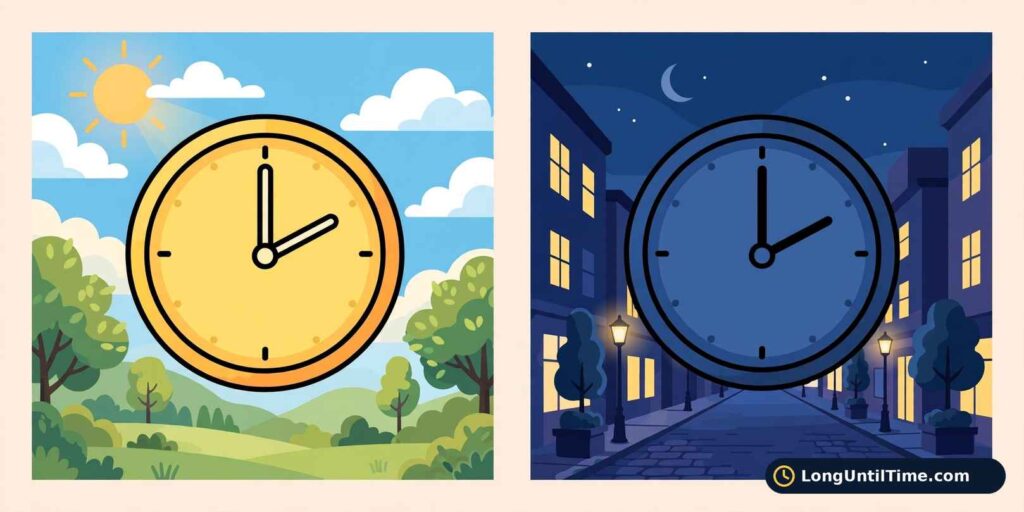
The time remaining until 2:00 PM changes every minute and second. There is no single answer that stays correct throughout the day because the current time keeps moving forward.
For example, at 9:00 AM, you have 5 hours until 2:00 PM. At 11:45 AM, you have 2 hours and 15 minutes. At 1:50 PM, you have just 10 minutes left.
The easiest way to find the time remaining until 2 PM is to check your current local time and calculate the difference between that time and your target. The following table shows common examples for the same day.
| Current Time | Time Remaining Until 2:00 PM |
|---|---|
| 7:00 AM | 7 hours |
| 8:00 AM | 6 hours |
| 9:00 AM | 5 hours |
| 10:00 AM | 4 hours |
| 11:00 AM | 3 hours |
| 12:00 PM (noon) | 2 hours |
| 12:15 PM | 1 hour 45 minutes |
| 12:30 PM | 1 hour 30 minutes |
| 12:45 PM | 1 hour 15 minutes |
| 1:00 PM | 1 hour |
| 1:15 PM | 45 minutes |
| 1:30 PM | 30 minutes |
| 1:45 PM | 15 minutes |
| 1:50 PM | 10 minutes |
| 1:55 PM | 5 minutes |
| 1:59 PM | 1 minute |
| 2:00 PM | 0 minutes |
These examples assume that the current time and the target time use the same local clock and date.
If the current time includes seconds, you can calculate the remaining seconds as well. For example, at 1:59:30 PM, only 30 seconds remain until 2:00 PM.
This is useful when you need to arrive at a meeting, start an online event, or complete a task at a precise time.
Why People Search for How Long Until 2:00 PM
People search for how long until 2:00 PM because they want a quick, clear answer about an upcoming event or deadline. Rather than calculating the difference themselves, they want to know how much time they have left.
For office workers, 2 PM may mark the beginning of an important meeting or the deadline for a report. Students may need to know how long they have before an afternoon class, examination, or study session. Other people may be waiting for a delivery, planning an appointment, or preparing to leave home.
The question also helps people organize their daily schedules. Knowing that 90 minutes remain before 2 PM makes it easier to decide whether to finish a task, take a break, or prepare for the next commitment.
Some searches are more specific than others. A person searching for “how many hours until 2 PM” may want a simple duration, while someone searching for a 2 PM countdown timer may want a clock that updates automatically.
Regardless of the reason, the main goal is the same: find the remaining time quickly and use it effectively.
Understanding 2 PM, 14:00, and Military Time
Two o’clock in the afternoon is written as 2:00 PM in the 12-hour clock system. The same time is written as 14:00 in the 24-hour clock system, which is also commonly called military time in the United States.
The 12-hour clock divides the day into two periods. AM covers the time from midnight until just before noon, while PM covers the time from noon until just before midnight.
This distinction matters because 2:00 AM and 2:00 PM occur 12 hours apart. If you accidentally select the wrong one, your calculation could be off by half a day.
The 24-hour clock avoids this confusion by assigning each hour a number from 00 through 23.
| 12-Hour Time | 24-Hour Time |
|---|---|
| 12:00 AM (midnight) | 00:00 |
| 6:00 AM | 06:00 |
| 9:00 AM | 09:00 |
| 12:00 PM (noon) | 12:00 |
| 1:00 PM | 13:00 |
| 2:00 PM | 14:00 |
| 3:00 PM | 15:00 |
| 5:00 PM | 17:00 |
| 8:00 PM | 20:00 |
| 11:00 PM | 23:00 |
To convert 2:00 PM into 24-hour time, add 12 to the hour because it is a PM time between 1 PM and 11 PM.
Therefore:
2 + 12 = 14
The result is 14:00.
This format is useful when reading travel timetables, coordinating international meetings, or checking schedules that use 24-hour time. It also makes time calculations easier because you do not have to keep switching between AM and PM.
The Best Ways to Calculate the Time Remaining
There are several ways to calculate how long until 2:00 PM. The best option depends on whether you need a quick estimate, a precise duration, or an automatically updating countdown.
You can calculate the difference mentally, check a digital device, or use an online calculator. All three methods work when you know the correct current time and target date.
Calculate It Mentally
Mental calculation is often the fastest way to find the remaining time. Start by checking the current time, then count forward to 2:00 PM.
Suppose it is 10:40 AM. From 10:40 AM to 11:00 AM is 20 minutes. From 11:00 AM to 12:00 PM is 1 hour, and from noon to 2:00 PM is another 2 hours.
Add those periods together:
20 minutes + 1 hour + 2 hours = 3 hours 20 minutes.
Therefore, at 10:40 AM, you have 3 hours and 20 minutes until 2:00 PM.
Another example is 1:25 PM. You have 35 minutes until 2:00 PM because 60 minutes minus 25 minutes equals 35 minutes.
For times close to 2 PM, this method is especially simple. At 1:40 PM, 20 minutes remain. At 1:48 PM, 12 minutes remain. At 1:57 PM, only 3 minutes remain.
If the calculation crosses an hour, separate it into smaller parts. This reduces mistakes and makes the answer easier to check.
Use a Digital Device
A smartphone, laptop, desktop computer, tablet, or smartwatch can help you check the current time. Most digital devices display the time automatically using their configured time zone.
Once you know the current time, compare it with 2:00 PM. You can also create an alarm to remind you when the target time arrives.
For example, if you have an online meeting at 2 PM, set an alarm for 1:50 PM. This gives you 10 minutes to finish your current task and prepare for the meeting.
You can also use a calendar reminder when the event requires more preparation. A calendar may notify you well before the meeting, while an alarm can serve as a final reminder.
However, check that your device has the correct date, time, and time zone. If the device clock is inaccurate, a countdown based on that clock may also be inaccurate.
Use an Online Calculator
An online time calculator is useful when you want to calculate a duration without doing the arithmetic yourself. Depending on the tool, you may enter a starting time and a target time to find the difference.
For example, entering 11:35 AM as the starting time and 2:00 PM as the target produces a duration of 2 hours and 25 minutes.
A time-duration calculator and a live countdown timer are not exactly the same. A duration calculator generally gives you a result based on the values you enter. A live countdown continues updating as time passes.
When choosing an online tool, check whether it automatically detects your local time or expects you to enter the current time manually. Also confirm that it interprets 2 PM as the correct target for your intended date.
This is particularly important if you are checking the time until an event in another time zone or calculating a countdown after 2 PM has already passed.
How Long Until 2:00 PM with a Live Countdown
A live countdown shows how much time remains until a selected target. For a 2 PM countdown, the display may show the remaining hours, minutes, and seconds.
Unlike a one-time calculation, a live countdown updates as time passes. If it initially shows 1 hour and 30 minutes, the display should show less time a minute later.
A typical live countdown timer follows this process: it identifies the target date and time, compares that target with the current time, and displays the difference.
For a same-day countdown, the target is 2:00 PM on the current local date. If the current time is 12:30 PM, the countdown begins with 1 hour and 30 minutes remaining.
At 1:45 PM, the remaining duration is 15 minutes. At 1:59 PM, it is 1 minute. At exactly 2:00 PM, the countdown reaches zero.
After that point, the timer’s behavior depends on how it was designed. Some timers stop at zero, while recurring daily countdowns may reset for the next day’s 2 PM.
A useful timer should make the target date and time clear. Otherwise, it may be difficult to tell whether it counts down to today’s 2 PM or tomorrow’s.
Remember that a countdown is only as accurate as its clock and settings. A browser timer that uses the device’s local clock may show a different result if the device clock is incorrect or the target time zone is misunderstood.
Countdown Timers Improve Productivity
A countdown timer can help you make better use of the time available before 2 PM. It gives you a visible deadline, making it easier to estimate how long you can spend on a task.
For example, suppose you have two hours before a meeting. You could spend the first 60 minutes completing a report, take a short break, and use the remaining time to review your notes and prepare questions.
Without a clear deadline, it can be easy to spend too long on one task or delay starting another. A countdown can remind you when to move on.
This approach works well with time-blocking, a method that assigns specific periods to particular activities. You might dedicate 30 minutes to answering emails, 45 minutes to focused work, and 15 minutes to reviewing your progress.
A timer can also help you avoid checking the clock repeatedly. Instead of estimating the time left every few minutes, you can glance at the countdown when necessary.
Still, a timer is a planning aid, not a guarantee of productivity. Tasks often take longer than expected, so leave room for interruptions and breaks. A realistic schedule is more useful than trying to fill every minute before 2 PM.
Common Daily Situations Where a 2 PM Countdown Helps
The time remaining until 2 PM can matter in many everyday situations. The value of a countdown depends on what you need to do before that time and how much preparation the activity requires.
Office Work
In an office, 2 PM might be the start of a team meeting, a client presentation, or a project review. Knowing how long remains helps employees decide which tasks they can finish beforehand.
If it is 12:45 PM and a meeting starts at 2 PM, you have 1 hour and 15 minutes. You could use 45 minutes to finish a report, 15 minutes to review your notes, and the remaining 15 minutes to prepare for the meeting.
A countdown can also help remote workers switch between tasks without losing track of scheduled calls. Adding a reminder before the deadline makes it easier to finish on time.
Education
Students may use a countdown to track the time before an afternoon class, examination, tutoring session, or study group.
For example, if a class begins at 2 PM and it is currently 1:15 PM, the student has 45 minutes to review notes, pack materials, or travel to the classroom.
Teachers can also use a countdown to organize lesson preparation and classroom activities. The key is to allow enough time for the task instead of assuming that every activity will finish exactly when planned.
For examinations, students should follow the official start time and instructions rather than relying only on a personal countdown.
Healthcare
Healthcare settings often involve scheduled appointments, staff meetings, shift handovers, and administrative deadlines. A countdown can help people prepare for these activities.
For example, someone with an appointment at 2 PM might check the remaining time and allow extra time for travel, parking, registration, or paperwork.
Healthcare staff may also use reminders to prepare for scheduled activities. However, a general countdown is not a replacement for clinical timing systems, medication instructions, or official medical procedures. Those tasks require the appropriate tools and protocols.
Travel
Travel plans often depend on accurate timing. A 2 PM departure, pickup, or scheduled connection requires more than simply knowing the number of minutes remaining.
If your bus leaves at 2 PM and it is 12:30 PM, you have 90 minutes until departure. You should subtract the time needed to reach the station, collect your belongings, and handle unexpected delays.
For air travel, a departure time is not necessarily the time you should arrive at the airport. Check the airline’s guidance and your itinerary to determine when to arrive.
Travelers should also pay attention to the local time shown on their tickets. A scheduled departure in another city may use that location’s time zone rather than the traveler’s current one.
Online Events
Online meetings, webinars, virtual classes, and livestreams often have fixed start times. A countdown helps participants prepare before the event begins.
If a webinar starts at 2 PM and it is 1:40 PM, you have 20 minutes to check your internet connection, open the meeting link, and prepare any notes or questions.
For international events, always confirm the time zone shown in the invitation. An event listed as 2 PM Eastern Time may begin earlier on the clock in another U.S. time zone.
A calendar reminder combined with a countdown is often a practical way to avoid joining late.
Using a Countdown for Better Time Management
A countdown becomes more useful when you connect it to a clear plan. Instead of watching the seconds disappear, decide what you want to accomplish before 2 PM.
Start by identifying your main task. Estimate how long it will take, then reserve enough time to complete it. If you have several responsibilities, prioritize the ones that matter most or have the earliest deadlines.
For example, if it is 10 AM and you have a meeting at 2 PM, you have four hours. You might spend two hours on a report, 30 minutes answering important messages, 30 minutes reviewing meeting materials, and 30 minutes taking breaks or handling small tasks. The remaining time can serve as a buffer.
This is more practical than assigning every minute to work. Unexpected calls, technical problems, or tasks that take longer than expected can disrupt even a well-planned schedule.
A countdown can also support the habit of reviewing progress. When you check the remaining time, ask whether you are on track and whether you need to adjust your priorities.
For repeated daily commitments, combine a recurring calendar event with a reminder. The event tells you when something must happen, while the reminder gives you time to prepare.
The purpose of a countdown is not to make every second productive. It is to help you understand the time available and make sensible decisions about how to use it.
Time Zones Matter More Than You Think
The answer to “How long until 2 PM?” depends on which 2 PM you mean. Two o’clock in New York does not occur at the same moment as two o’clock in Los Angeles because the cities use different time zones.
The main U.S. time zones are Eastern, Central, Mountain, and Pacific. Alaska and Hawaii also have their own time zones. Some locations follow different daylight-saving rules, so the time difference between places can change during the year.
Consider a meeting scheduled for 2 PM Eastern Time. During a period when the usual daylight-saving offsets apply, the same moment is 1 PM Central Time, noon Mountain Time, and 11 AM Pacific Time.
| Time Zone | Local Time When It Is 2 PM Eastern |
|---|---|
| Eastern Time | 2:00 PM |
| Central Time | 1:00 PM |
| Mountain Time | 12:00 PM |
| Pacific Time | 11:00 AM |
These conversions apply when the usual one-hour differences are in effect. Mountain Time requires extra care because most of Arizona does not observe daylight saving time, while the Navajo Nation does. As a result, the relationship between local times can vary by date and location.
Daylight Saving Time moves clocks forward in spring and back in autumn in locations that observe it. This can change the difference between time zones, so a conversion that works in one month may not work in another.
For an ordinary same-day countdown, you can simply use your local time if the target is also 2 PM in your location. For a remote meeting, travel schedule, or international event, first identify the time zone attached to the target.
This distinction prevents a common mistake: calculating the right number of hours from the wrong local time.
Useful Tools for Tracking the Countdown
Several tools can help you track the time until 2 PM. You do not need a special application for every situation; the simplest option is often enough.
Smartphone Alarms and Timers
A smartphone alarm can notify you when 2 PM arrives. You can also set an earlier alarm to give yourself time to prepare.
For example, set a reminder for 1:45 PM if you need 15 minutes to finish your work and get ready for a meeting. If the commitment happens every weekday, a recurring alarm may be more convenient than setting it manually each day.
Check the AM/PM setting carefully when creating an alarm. An alarm set for 2 AM will not remind you of an afternoon event.
Calendar Apps and Reminders
Calendar apps are useful when 2 PM is tied to a specific event rather than a general daily target.
You can add the meeting’s start time, preparation reminders, location, and other details. For remote events, a calendar that handles time zones can convert the event to your local time.
This is especially helpful when scheduling with colleagues in different U.S. states or other countries. Confirm that the invitation uses the intended time zone before relying on the reminder.
Online Countdown Timers
An online countdown timer can display the hours, minutes, and seconds remaining until a chosen time.
This option works well when you want a visible timer while studying, working, or preparing for an event. Some tools let you choose a date and time, while others use a preset target.
Check whether the timer updates automatically and whether it follows your local time. If you enter the target manually, make sure the selected date is correct, particularly if 2 PM has already passed.
Desktop Clocks and Smartwatches
A desktop clock or smartwatch makes it easy to check the time without opening a separate application.
A clock tells you the current time, while a countdown timer tells you the remaining duration. These tools serve different purposes, but you can use them together to keep track of a deadline.
For example, a student can keep a countdown visible during a study session, while an office worker can use a smartwatch reminder to prepare for a meeting.
Whichever tool you choose, its usefulness depends on correct time settings and a clearly defined target.
How Long Until 2:00 PM on Different Days
To calculate the time remaining accurately, you must know whether 2 PM is still ahead of you today or has already passed.
If it is before 2 PM, subtract the current time from today’s 2 PM. If it is exactly 2 PM, the countdown to today’s target has reached zero. If it is later than 2 PM, you need to decide whether you mean the time since today’s 2 PM or the time until 2 PM tomorrow.
What If It Is Before 2 PM?
When the current time is earlier than 2 PM, the calculation is straightforward.
For example, at 10:45 AM, there are 3 hours and 15 minutes remaining. At 12:20 PM, there is 1 hour and 40 minutes remaining. At 1:40 PM, only 20 minutes remain.
These calculations work because the starting time and target fall on the same local day.
What If It Is Exactly 2 PM?
At exactly 2:00 PM, the remaining time until today’s target is zero.
If you want to count down to the next day’s 2 PM, the elapsed time is normally 24 hours. However, the actual elapsed duration between two local clock readings can differ when a daylight-saving change occurs overnight.
For most ordinary daily scheduling, the key distinction is that today’s target has arrived and the next occurrence is tomorrow.
What If It Is Already Past 2 PM?
If the current time is later than 2 PM, today’s target has passed. A countdown to the next daily occurrence should use tomorrow’s date.
Suppose it is 3:30 PM. From 3:30 PM to midnight is 8 hours and 30 minutes. From midnight to 2 PM tomorrow is another 14 hours.
Adding those periods gives 22 hours and 30 minutes.
Therefore, at 3:30 PM, the next 2 PM is 22 hours and 30 minutes away on an ordinary day without a relevant clock change.
This approach also works for other times after 2 PM. At 6 PM, the next 2 PM is 20 hours away under the same conditions.
Always check the intended date when using a countdown calculator. Some tools automatically choose tomorrow if today’s target has passed, while others may stop at zero or display a negative duration.
Why Real-Time Countdowns Feel So Motivating
A real-time countdown makes an approaching deadline easier to see. Instead of thinking vaguely about an event happening later, you can see the exact duration remaining.
This can help people decide when to start a task, when to stop, and how much preparation time they have left. For example, seeing that only 10 minutes remain before 2 PM may encourage you to finish a short task rather than begin a larger one.
Countdowns can also create a useful sense of structure. A student may set a timer for a focused study session, while a worker may use one to prepare for an afternoon presentation.
However, a timer does not automatically improve concentration or make a task easier. If the countdown creates pressure without helping you make decisions, it may be better to use a calendar reminder or a flexible work schedule instead.
The most useful approach is to treat the timer as information. It tells you how much time remains, while you decide how to use that time realistically.
Tips for Planning Around 2:00 PM
Planning around 2 PM becomes easier when you combine an accurate countdown with a realistic schedule. First, check your local time and confirm whether the target is today or tomorrow. Then decide what needs to be completed before the deadline.
If you have an appointment at 2 PM, work backward from the start time. Consider how long it takes to prepare, travel, or join an online meeting. Set a reminder early enough to complete those steps without rushing.
For a work or study deadline, estimate the task duration before you begin. If you have 45 minutes available, avoid starting something that normally takes two hours unless you can complete a smaller part of it.
It also helps to leave a buffer. If a task should finish at 1:50 PM, use 1:50 PM as your personal deadline rather than aiming to finish at exactly 2 PM. This gives you time to review your work or handle a minor delay.
For recurring events, use a calendar reminder or daily alarm. For events in another time zone, verify the location and date before calculating the countdown.
Finally, check your timer’s settings if the result seems wrong. An incorrect AM/PM selection, a device clock that is out of sync, or a misunderstanding about the target date can all lead to an incorrect answer.
The same countdown method also works for the mark fifteen minutes earlier – see how long until 1:45 pm.
Frequently Asked Questions
How many hours are left until 2 PM?
The number of hours remaining depends on the current time. At 9 AM, 5 hours remain. At noon, 2 hours remain. At 1 PM, 1 hour remains. Subtract your current local time from 2 PM to find your answer.
How many minutes until 2:00 PM?
The answer depends on the current time. At 1:30 PM, 30 minutes remain. At 1:45 PM, 15 minutes remain. At 1:55 PM, 5 minutes remain.
What time is 2 PM in military time?
2:00 PM is 14:00 in the 24-hour clock system. To convert afternoon times from 1 PM through 11 PM, add 12 to the hour.
How do I calculate the time until 2 PM?
Check the current time and subtract it from 2 PM. For example, if it is 11:30 AM, you have 2 hours and 30 minutes remaining. If it is already past 2 PM, calculate toward tomorrow’s 2 PM if you mean the next daily occurrence.
What if it is already past 2 PM?
Today’s 2 PM has passed. If you want to know how long until the next 2 PM, count forward to tomorrow’s target time. For example, at 4 PM, the next 2 PM is normally 22 hours away.
Does a 2 PM countdown use my local time?
That depends on the countdown tool. Some use your device’s local time, while others require you to select a time zone or enter a target time manually. Confirm the settings before relying on the result.
How can I set a countdown timer for 2 PM?
Use an online countdown tool or a timer application that allows you to choose a target date and time. Select 2:00 PM, confirm the correct date and time zone, and start the countdown.
Is 2 PM the same as 14:00?
Yes. Both represent two o’clock in the afternoon. The first uses the 12-hour clock, while the second uses the 24-hour clock.
How do time zones affect a 2 PM countdown?
Time zones determine when 2 PM occurs in a particular location. If an event is scheduled for 2 PM Eastern Time, it will occur at a different local clock time in Central, Mountain, and Pacific locations. Always use the event’s stated time zone when calculating the remaining duration.
Can I set a countdown to 2 PM every day?
Yes. You can use a recurring alarm, a calendar reminder, or a countdown tool with a daily repeat option. Make sure the tool resets for the next day’s 2 PM instead of stopping permanently after the first countdown.
Conclusion
Knowing how long until 2:00 PM helps you plan your work, prepare for appointments, manage study time, and keep daily commitments on schedule. The exact answer depends on your current local time and whether today’s 2 PM is still ahead of you.
The simplest method is to subtract the current time from 2 PM. You can also use a digital clock, an online time calculator, or a live countdown timer to track the remaining hours, minutes, and seconds.
If 2 PM has already passed, count toward tomorrow’s occurrence. For meetings and travel, confirm the correct time zone and date before relying on the result.
Readers can also browse the encyclopedia entry on the siesta for more on the traditional early-afternoon rest.